


HTML to Image API: Turning Templates, Reports, and Snippets Into Images
If you need an image from a web page, the obvious answer is to screenshot a URL. Point a browser at https://example.com, wait for the page to render, and save the output as PNG or PDF.
That works when the thing you want already exists as a page.
But a lot of image-generation work does not start with a URL. It starts with a template: an invoice, a status card, a report cover, a certificate, a quote graphic, a dashboard summary, or a small HTML snippet generated inside your app. Hosting a temporary route just so a browser can screenshot it is extra work. You already have the markup. You just need it rendered.
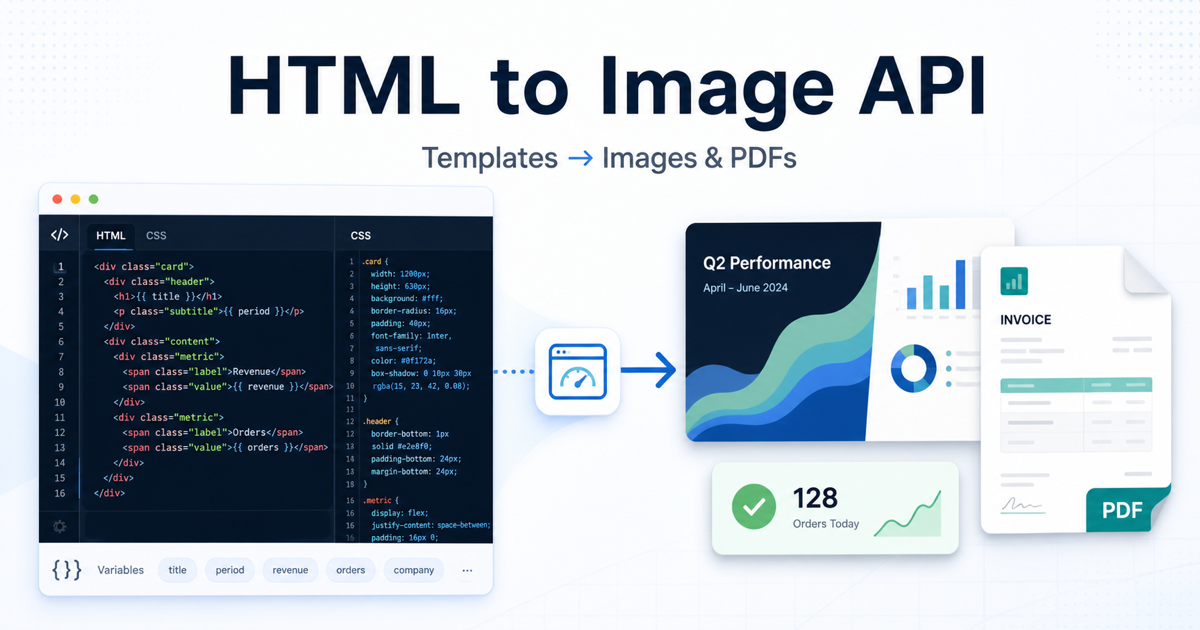
That is where an HTML to image API fits. Instead of asking the service to visit a public URL, you send the HTML directly. The rendering engine still uses a real browser, so your CSS, layout, fonts, and SVGs render like they would in Chromium. The difference is that nothing needs to be deployed first.
URL Screenshot vs HTML Render
The simplest way to decide between URL mode and HTML mode is to ask where the content lives.
If the content is already a public page, screenshot the URL. This is the right choice for website previews, page monitoring, visual regression, competitor pages, landing pages, and full-page captures.
If the content is generated inside your application, render the HTML directly. This is usually better for invoices, email previews, report cards, certificates, badges, internal summaries, and personalized graphics.
The output can be the same. The input is different.
With URL screenshots, the API has to navigate to a page. With HTML input, the browser can render the exact markup you provide. There is no routing layer, no temporary page, no auth flow, and no need to expose private user data at a public URL.
For a deeper technical reference, SnapshotFlow has an HTML to Image API guide that covers the endpoint, parameters, and examples.
Why HTML Input Is Often Cleaner
Imagine a SaaS product that sends weekly customer reports. Each report has a client name, date range, a few metrics, and a branded cover image. One approach is to create a route like /reports/preview/:id, protect it with auth, make sure the screenshot worker can access it, then capture the URL.
That works, but it is indirect.
The simpler version is to build the report cover as an HTML string and send it to the rendering API. The template is already in your backend. The data is already there. The render job does not need to log in or request a private page. It just turns the markup into an image or PDF.
This also makes the output more predictable. A public page might include navigation, cookie banners, analytics scripts, user-specific state, and layout changes that are irrelevant to the image you want. A purpose-built HTML template includes only what should appear in the final artifact.
Common Use Cases
HTML-to-image is useful whenever the image is a generated asset rather than a captured page.
For reports, you can turn a branded HTML cover page into a PNG or PDF. For invoices and receipts, you can render a data-filled document without relying on local PDF libraries. For certificates and badges, you can generate personalized visuals from a template. For email previews, you can capture how a transactional email looks before it goes out.
It also works well for internal tools. A dashboard can generate a small daily status card. A CI job can render release notes as an image. A support workflow can attach a visual summary to a ticket. These are not pages that need to exist forever. They are artifacts.
The point is not that every generated image should be HTML. The point is that HTML is already a strong layout language. If your team knows CSS, you can design the asset with familiar tools and let a headless browser do the rendering.
A Minimal Example
A basic HTML render can be as small as one API call. The example below sends a self-contained HTML document and saves the rendered PNG:
curl -X POST "https://api.snapshotflow.com/screenshot" \
  -H "X-Api-Key: $SNAPSHOTFLOW_KEY" \
  -H "Content-Type: application/json" \
  -d '{
    "html": "<!doctype html><html><body style=\"margin:0;width:1200px;height:630px;display:flex;align-items:center;justify-content:center;background:#0f172a;color:white;font-family:Arial,sans-serif\"><h1>Weekly Report</h1></body></html>",
    "width": 1200,
    "height": 630,
    "format": "png"
  }' \
  --output report.png
In a real app, the HTML would come from a template. You might interpolate a customer name, a date range, a report title, or a few metrics. The important part is that the screenshot service receives the final markup and returns the finished artifact.
If you want a hosted image URL instead of raw image bytes, use a URL response type where supported. That makes it easier to store the result in a database, attach it to a notification, or pass it to another system.
Tips for Better Output
Good HTML-to-image renders come from treating the template like a fixed-size design, not a normal responsive webpage.
Set explicit dimensions. If the output should be 1200x630, make the body or root container match that size. Remove default margins. Avoid relying on content to “naturally” decide the canvas size unless you specifically want full-page output.
Inline critical CSS when possible. External stylesheets work, but inline styles make the render more deterministic and reduce network dependencies. If you use web fonts, give them enough time to load or use embedded fonts for important brand assets.
Keep the template focused. A generated card or report cover does not need your full application layout. It needs the content that belongs in the final image. The less unrelated markup you include, the fewer surprises you will get.
Finally, use HTML mode when you control the markup. If you are trying to capture a third-party page, a live landing page, or a page that must reflect its current state on the web, use URL screenshot mode instead.
HTML to PDF Uses the Same Idea
The same pattern applies to PDF generation. If the document is generated from app data, HTML-to-PDF is often cleaner than capturing a URL. You can create an invoice, contract, report, or statement as HTML, then render it with format=pdf.
This is useful because HTML and CSS give you a familiar design system. You can reuse typography, spacing, tables, and branding from your product. The browser’s print engine handles the final PDF layout.
For longer documents, you still need to think about page breaks and print styles, but the workflow stays the same: generate markup, send markup, receive artifact.
When Not to Use HTML Input
Do not use HTML input when the goal is to observe a live page. Website monitoring, full-page screenshots, visual regression between URLs, SEO rendering checks, competitor tracking, and page archiving should use URL input. In those cases, the live page is the source of truth.
HTML input is for generated content. URL input is for existing web pages.
That distinction keeps the architecture clean. You do not need to publish temporary routes for generated assets, and you do not need to fake HTML input for pages that already exist.
Final Thought
HTML-to-image rendering is not a replacement for URL screenshots. It solves a different problem.
When a page already exists, screenshot the URL. When the image starts as a template, send the HTML directly. That small decision can remove a surprising amount of routing, authentication, and browser-management work from your system.
For teams already building with HTML and CSS, it is a natural way to generate polished images and PDFs without adding a separate design or rendering stack.

 English
 Arabic
 French
 Spanish
 Portuguese
 Deutsch
 Turkish
 Italiano
 Russian
 Romaian
 Portuguese (Brazil)
 Greek
Greek