


Why Multi-Factor Authentication Is Your First Line of Defense
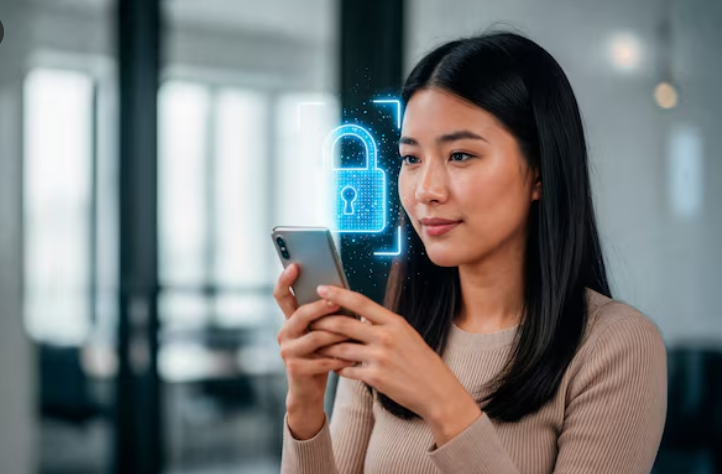
Cyber threats evolve daily, but one simple upgrade can block most attacks before they start. Multi-factor authentication (MFA) adds essential layers of security beyond just passwords, making it incredibly hard for hackers to access your accounts—even if they steal your login details. In a world of rising data breaches, MFA isn't optional; it's a must-have for businesses and individuals alike.
This guide explores how MFA works, its benefits, and how it pairs with modern tools to keep your digital world safe.
What Is Multi-Factor Authentication and How Does It Work?
Multi-factor authentication requires users to verify their identity using two or more independent credentials. Think password (something you know) plus a fingerprint scan (something you are) or a one-time code from your phone (something you have).
Common MFA methods include:
-
SMS or app-based one-time passcodes
-
Biometric scans like face ID or fingerprints
-
Hardware security keys
-
Push notifications for quick approval
By combining factors, MFA reduces unauthorized access risks by over 99%, according to cybersecurity experts.
The Real-World Benefits of Implementing MFA Everywhere
Gone are the days when passwords alone sufficed. Multi-factor authentication stops common attacks like phishing and credential stuffing in their tracks.
Key advantages:
-
Blocks stolen passwords: Even if hackers get your login, they can't proceed without the second factor.
-
Protects remote workers: Essential for distributed teams accessing company data.
-
Compliance made easy: Meets standards like GDPR, HIPAA, and SOC 2 requirements.
-
User-friendly setup: Most apps now support seamless MFA integration.
Businesses using MFA report dramatically fewer security incidents and faster recovery times.
Pairing MFA with Zero Trust Network Access for Ironclad Security
Traditional "trust but verify" models fail against sophisticated threats. Zero Trust Network Access (ZTNA) assumes no one is trustworthy by default, requiring continuous verification for every session.
When combined with multi-factor authentication:
-
ZTNA enforces MFA at every access point, not just login.
-
Context checks (location, device health) add extra scrutiny.
-
Granular controls limit access to only necessary resources.
This duo creates a "never trust, always verify" environment perfect for hybrid workforces.
Enhancing MFA with Imposter Detection Technology
Hackers love impersonating legit users. Imposter detection uses AI to analyze login patterns, spotting anomalies like unusual devices or locations that MFA alone might miss.
How it strengthens multi-factor authentication:
-
Flags risky logins before approving the second factor
-
Monitors behavior during sessions for ongoing threats
-
Alerts admins to potential account takeovers instantly
-
Learns from your normal activity for smarter protection
Together, these tools catch threats MFA verifies but doesn't fully predict.
Overcoming Common MFA Challenges and Myths
Many hesitate to adopt MFA, fearing complexity. Reality: modern solutions are smoother than ever.
Address these hurdles:
-
"It's too complicated": Biometric and push MFA take seconds.
-
"What if I lose my phone?": Backup codes and recovery options exist.
-
"Employees will resist": Gamified training boosts adoption rates.
-
"It's not foolproof": No tool is, but MFA slashes risks dramatically.
Start small—enable it on email and critical apps first—then expand.
Best Practices for Rolling Out Multi-Factor Authentication
Success comes from smart implementation. Follow these steps for smooth adoption:
-
Assess your environment: Identify high-risk apps and users.
-
Choose adaptive MFA: Tools that adjust based on risk level.
-
Train your team: Short videos and simulations work wonders.
-
Monitor and refine: Track usage and false positives regularly.
-
Integrate with existing tools: Like SIEM for full visibility.
RemoteDesk makes this effortless with built-in MFA support across endpoints.
Conclusion Make MFA Your Security Foundation Today
Multi-factor authentication transforms weak passwords into fortress-level protection, especially when layered with Zero Trust Network Access and imposter detection. It empowers secure collaboration without slowing down productivity, giving peace of mind in an unpredictable cyber world.
Protect what matters most—your data, your team, your business.
Secure Your Team with RemoteDesk MFA – Get Started Free Today

 Arabic
 French
 Spanish
 Portuguese
 Deutsch
 Turkish
 Dutch
Dutch
 Italiano
 Russian
 Romaian
 Portuguese (Brazil)
 Greek
Greek